Note
Go to the end to download the full example code.
TreeSHAP-IQ for Custom Tree Models
This example demonstrates how to use TreeExplainer to explain
a custom tree model built from scratch using the Play Tennis dataset.
from __future__ import annotations

import numpy as np

import shapiq
The Play Tennis Dataset
A classic dataset with 4 features (Outlook, Temperature, Humidity, Wind) and a binary target (Play Tennis: Yes/No). Features are numerically encoded.
Define a Custom Tree Model
We define a 3-node decision tree:
 #0: Outlook
 /         \
#1: 0      #2: Humidity
           /           \
          #3: 0        #4: Wind
                      /        \
                     #5: 0     #6: 1
tree = shapiq.tree.TreeModel(
    children_left=np.array([1, -1, 3, -1, 5, -1, -1]),
    children_right=np.array([2, -1, 4, -1, 6, -1, -1]),
    children_missing=np.array([-1, -1, -1, -1, -1, -1, -1]),
    features=np.array([0, -2, 2, -2, 3, -2, -2]),
    thresholds=np.array([2.5, -2, 1.5, -2, 1.5, -2, -2]),
    values=np.array([0.5, 0.0, 0.5, 0.0, 0.0, 0.0, 1.0]),
    node_sample_weight=np.array([14, 5, 9, 5, 4, 1, 3]),
)
Explain with TreeExplainer
Compute exact Shapley values for a single instance.
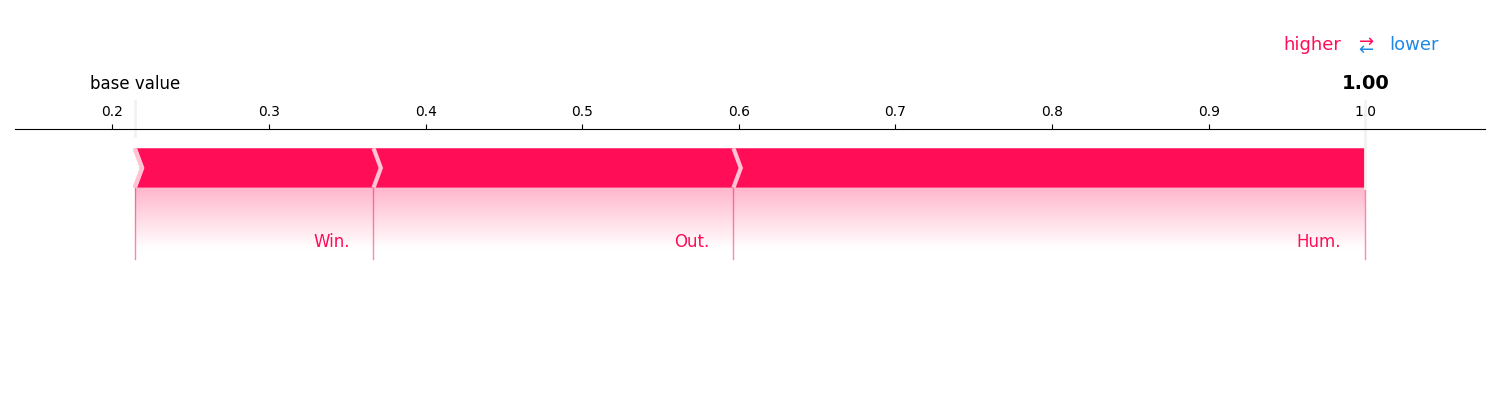
InteractionValues(
    index=SV, max_order=1, min_order=0, estimated=False, estimation_budget=None,
    n_players=4, baseline_value=0.21428571428571427,
    Top 10 interactions:
        (2,): 0.40343915343915343
        (0,): 0.2298280423280423
        (): 0.21428571428571427
        (3,): 0.15244708994708991
)
Total running time of the script: (0 minutes 0.177 seconds)