Note
Go to the end to download the full example code.
Working with InteractionValues
This example shows how to create, manipulate, aggregate, and visualize
InteractionValues objects – the central output type of
shapiq.
from __future__ import annotations

from shapiq import InteractionValues
Creating InteractionValues
Shapley values (first-order interactions) for 3 players:
sv = InteractionValues(
    values={(0,): 1.0, (1,): 1.0, (2,): 1.0},
    index="SV",
    max_order=1,
    n_players=3,
    min_order=1,
)
print(sv)
InteractionValues(
    index=SV, max_order=1, min_order=1, estimated=True, estimation_budget=None,
    n_players=3, baseline_value=0.0,
    Top 10 interactions:
        (0,): 1.0
        (1,): 1.0
        (2,): 1.0
)
Second-order Shapley Interaction Index (SII) values:
raw_scores = {
    (): 0,
    (0,): 1,
    (1,): 1,
    (2,): 1,
    (0, 1): 0.5,
    (0, 2): 0.5,
    (1, 2): 0.5,
}
sii = InteractionValues(
    values=raw_scores,
    index="SII",
    max_order=2,
    n_players=3,
    min_order=0,
)
print(sii)
InteractionValues(
    index=SII, max_order=2, min_order=0, estimated=True, estimation_budget=None,
    n_players=3, baseline_value=0.0,
    Top 10 interactions:
        (0,): 1.0
        (1,): 1.0
        (2,): 1.0
        (0, 1): 0.5
        (0, 2): 0.5
        (1, 2): 0.5
        (): 0.0
)
Manipulating InteractionValues
Scalar operations and pairwise addition/subtraction are supported.
scaled = sv + 2
scaled *= 2
scaled -= 2

sii2 = InteractionValues(
    values=raw_scores,
    index="SII",
    max_order=2,
    n_players=3,
    min_order=0,
)
added = sii + sii2
subtracted = sii - sii2
aggregated = sii.aggregate([sii2], aggregation="mean")
Extracting Specific Orders
Get only second-order interactions, or as a matrix.
print(sii.get_n_order(2))
print("Second-order matrix:\n", sii.get_n_order_values(2))
InteractionValues(
    index=SII, max_order=2, min_order=2, estimated=True, estimation_budget=None,
    n_players=3, baseline_value=0.0,
    Top 10 interactions:
        (0, 1): 0.5
        (0, 2): 0.5
        (1, 2): 0.5
)
Second-order matrix:
 [[0.  0.5 0.5]
 [0.5 0.  0.5]
 [0.5 0.5 0. ]]
Subset of Players
print(sii.get_subset([0, 2]))
InteractionValues(
    index=SII, max_order=2, min_order=0, estimated=True, estimation_budget=None,
    n_players=1, baseline_value=0.0,
    Top 10 interactions:
        (0,): 1.0
        (2,): 1.0
        (0, 2): 0.5
        (): 0.0
)
Sparsification
Remove near-zero interactions.
noisy = InteractionValues(
    values={(0,): 1.0, (1,): 1.0, (2,): 1.0, (0, 1): 1e-5, (0, 2): 1e-3, (1, 2): -1e-5},
    index="SII",
    max_order=2,
    n_players=3,
    min_order=0,
)
noisy.sparsify(threshold=1e-3)
print("After sparsify:", noisy.interactions)
After sparsify: {(0,): 1.0, (1,): 1.0, (2,): 1.0, (0, 2): 0.001}
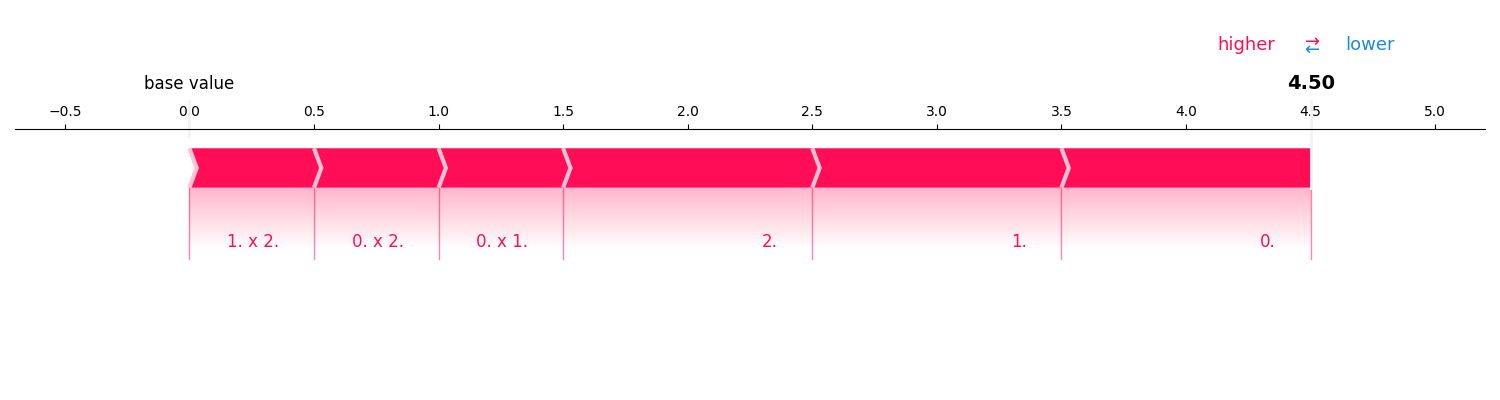
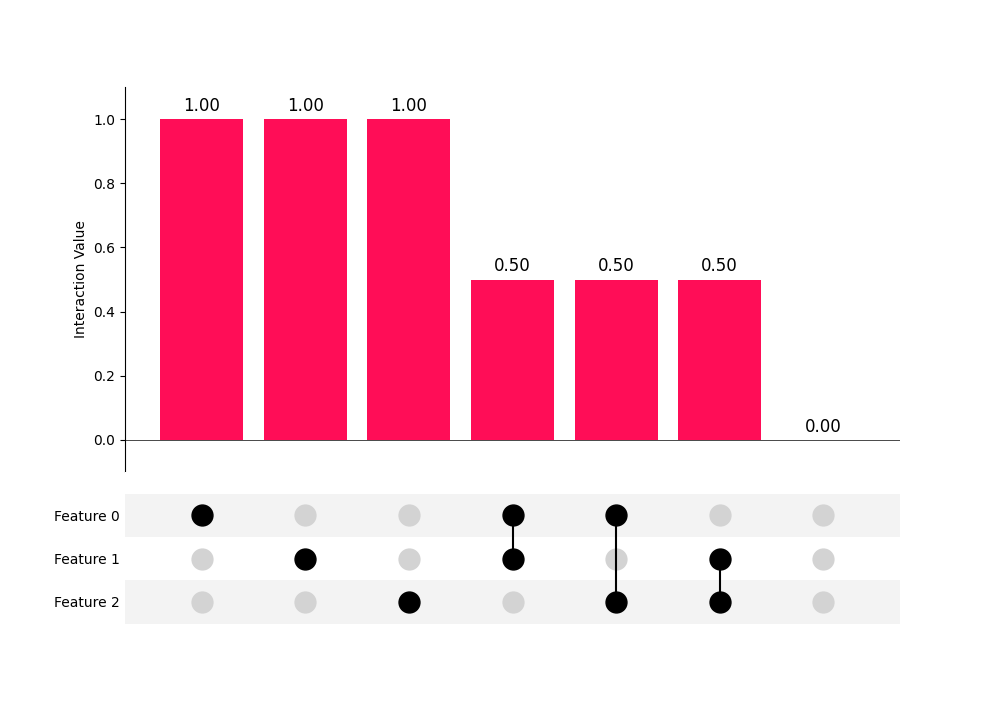
Visualization
Force plot and UpSet plot.
sii.plot_force()
sii.plot_upset()
Saving and Loading
InteractionValues(
    index=SII, max_order=2, min_order=0, estimated=True, estimation_budget=None,
    n_players=3, baseline_value=0.0,
    Top 10 interactions:
        (0,): 1.0
        (1,): 1.0
        (2,): 1.0
        (0, 1): 0.5
        (0, 2): 0.5
        (1, 2): 0.5
        (): 0.0
)
Total running time of the script: (0 minutes 0.374 seconds)