Note
Go to the end to download the full example code.
SI Graph Plot
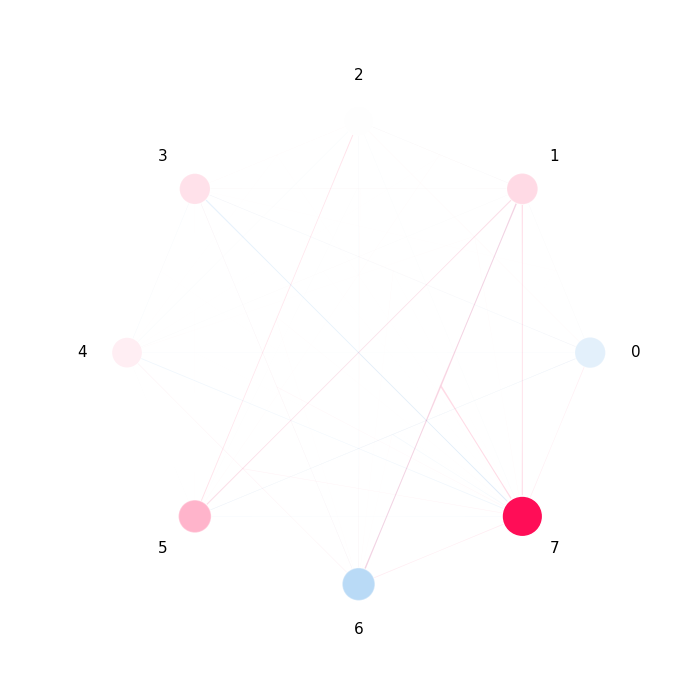
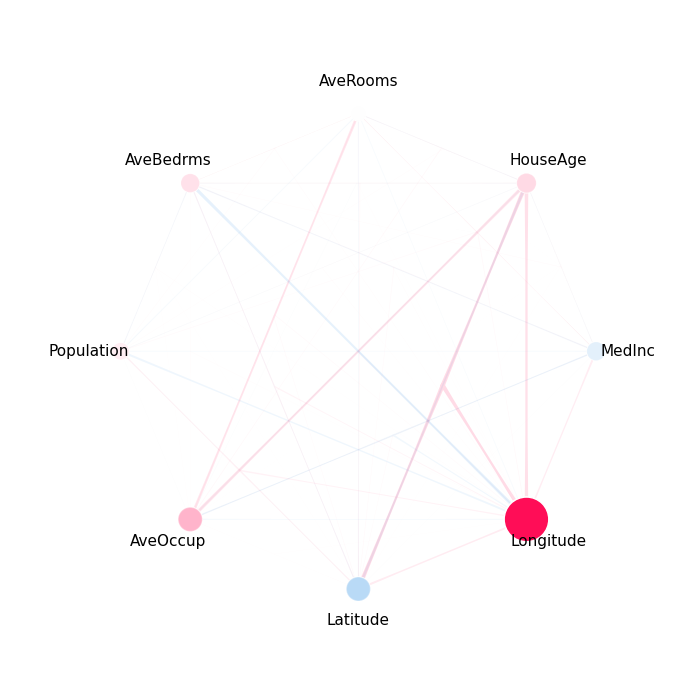
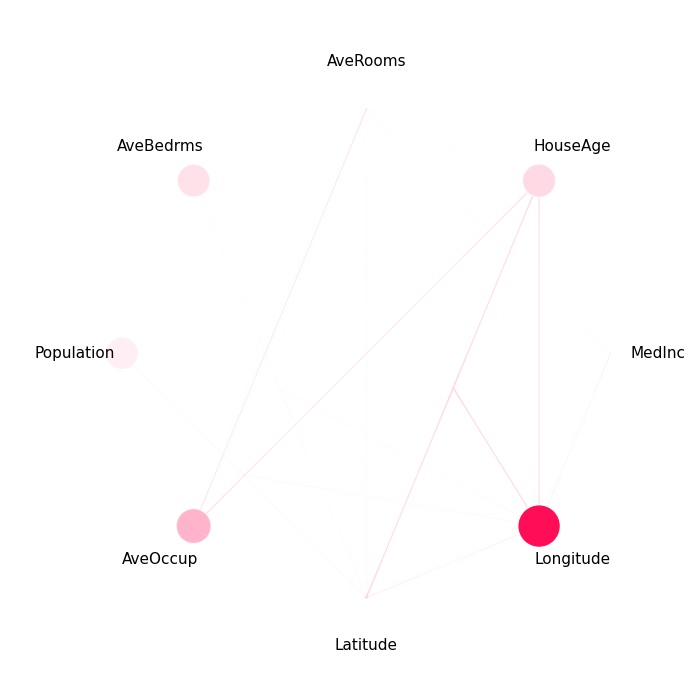
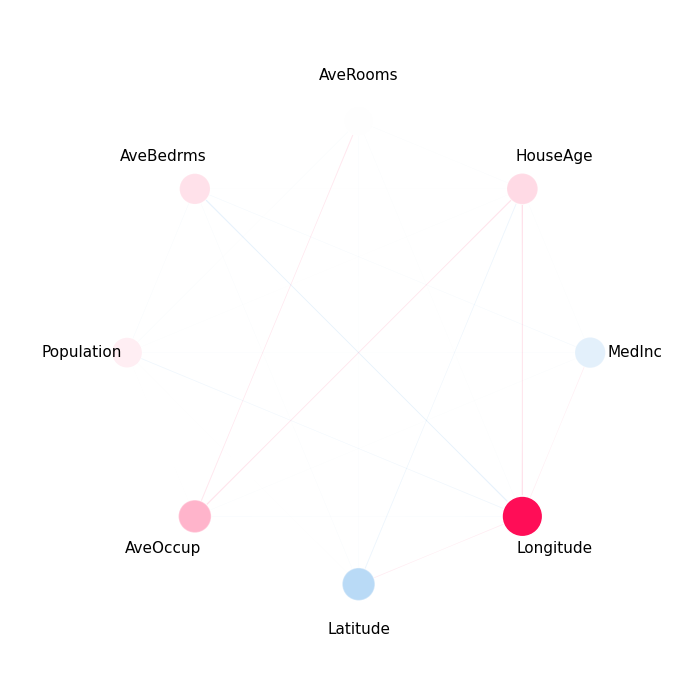
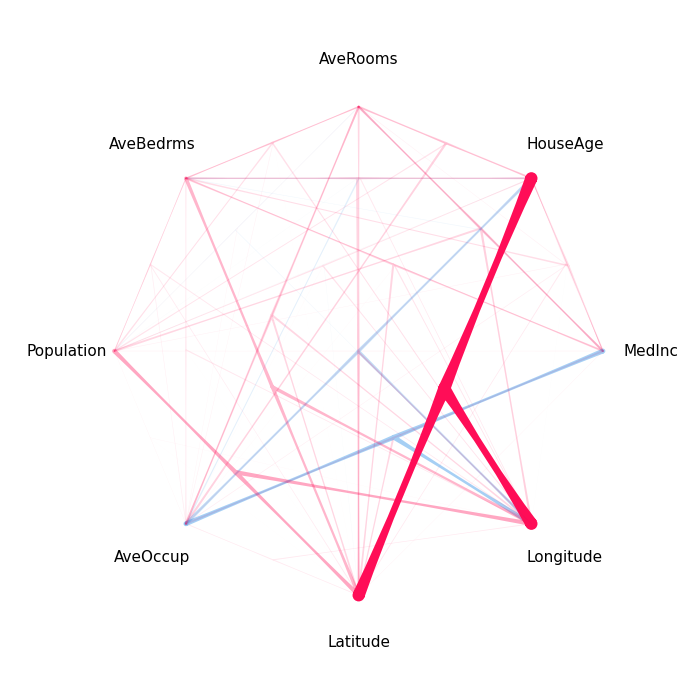
This example demonstrates the SI graph plot, which visualizes Shapley interactions as a network. Players are nodes; interactions are edges whose color, thickness, and opacity encode strength and direction.
from __future__ import annotations

from sklearn.model_selection import train_test_split
from xgboost import XGBRegressor

import shapiq
Train a Model
We use an XGBoost regressor on the California housing dataset.
x_data, y_data = shapiq.datasets.load_california_housing(to_numpy=False)
feature_names = list(x_data.columns)
x_data, y_data = x_data.values, y_data.values
x_train, x_test, y_train, y_test = train_test_split(
    x_data,
    y_data,
    test_size=0.2,
    random_state=42,
)
model = XGBRegressor(random_state=42, max_depth=4, n_estimators=50)
model.fit(x_train, y_train)
Compute Interaction Explanations
InteractionValues(
    index=FSII, max_order=3, min_order=0, estimated=True, estimation_budget=200,
    n_players=8, baseline_value=2.058321475982666,
    Top 10 interactions:
        (): 2.058321475982666
        (7,): 1.4029676855618014
        (5,): 0.43523821455356226
        (1,): 0.2123060378080704
        (1, 6, 7): 0.20470807395275545
        (1, 7): 0.177049695683448
        (3,): 0.17256196841558175
        (1, 5): 0.1574003415977404
        (0,): -0.16957933749720477
        (6,): -0.4322104082892668
)
Basic SI Graph
explanation.plot_si_graph(show=False)
(<Figure size 700x700 with 1 Axes>, <Axes: >)
Scaling and Feature Names
Adjust node sizes and add feature names for readability.
explanation.plot_si_graph(
    feature_names=feature_names,
    size_factor=5.0,
    node_size_scaling=0.5,
)
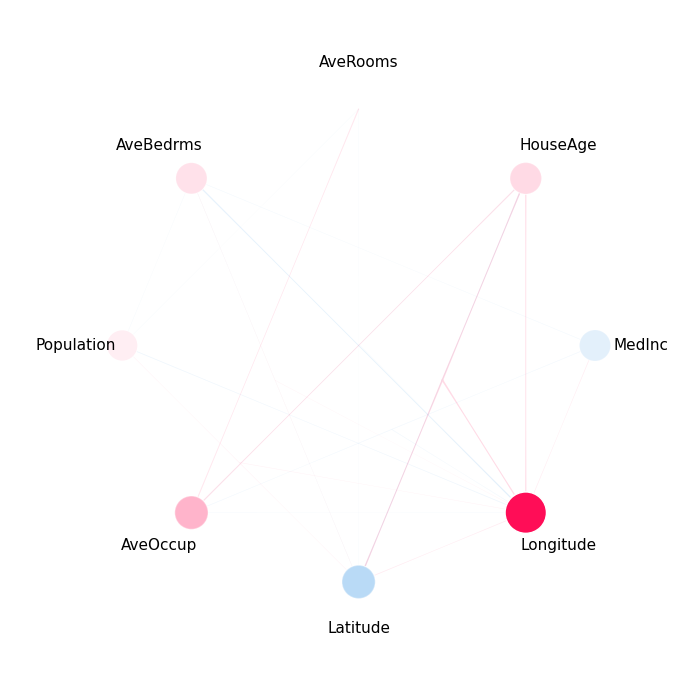
Filtering Interactions
Show only interactions above a threshold or the top-N strongest.
explanation.plot_si_graph(feature_names=feature_names, draw_threshold=0.05)
explanation.plot_si_graph(feature_names=feature_names, n_interactions=7)
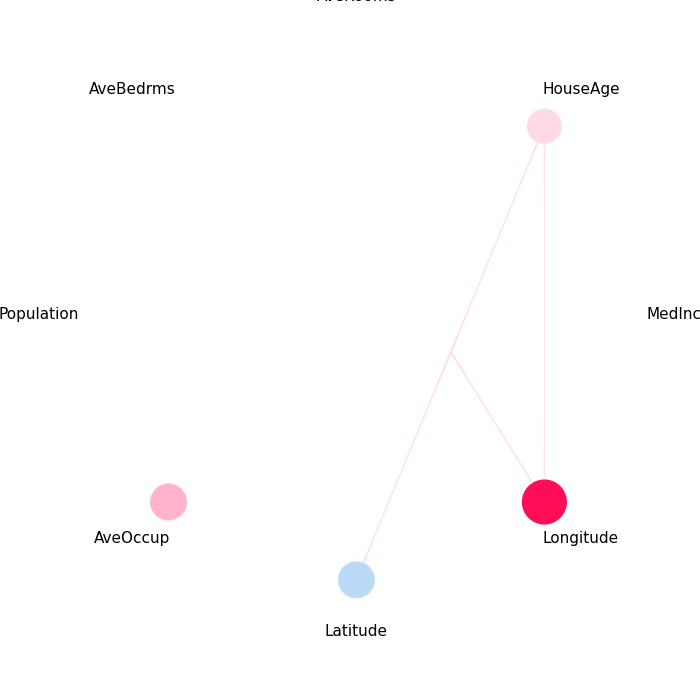
explanation.plot_si_graph(feature_names=feature_names, interaction_direction="positive")
Filtering by Order
Show only interactions up to a certain order.
explanation.plot_si_graph(feature_names=feature_names, min_max_order=(1, 2))
explanation.plot_si_graph(feature_names=feature_names, min_max_order=(3, -1))
Total running time of the script: (0 minutes 5.762 seconds)